
Your AI limits in the menu bar
TokenDeck shows how much of your Claude, Codex, and OpenRouter limits is left, and warns you before you run out.
Coming soon to the Mac App Store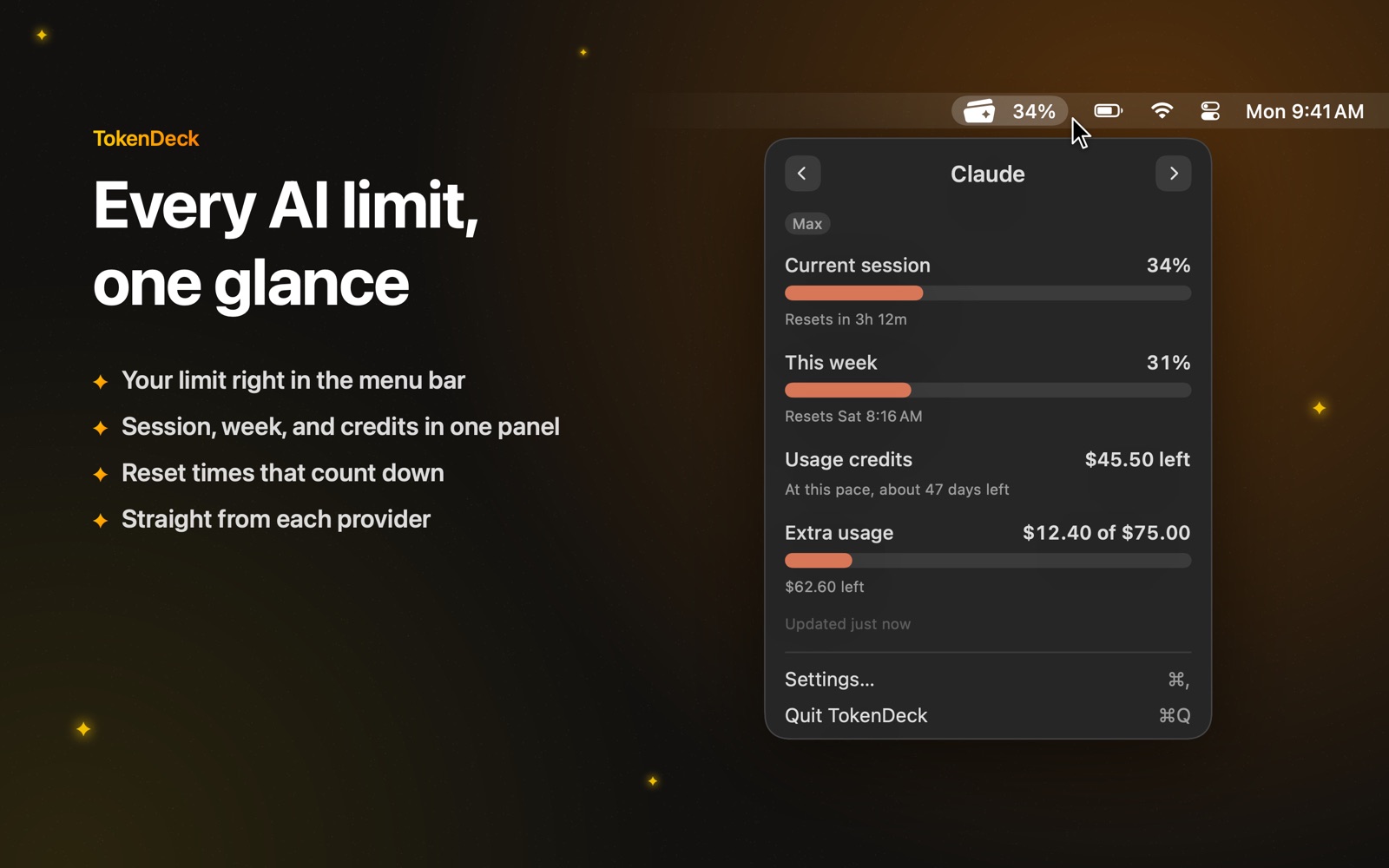
One glance
The number that matters sits next to the icon. Click for your session, your week, and your credits.
Know before you run out
Orange when your pace would use up a limit early, red when it is nearly gone.
Reset times
Every limit counts down to when it starts over, with an optional sound when a session is free again.
Only real numbers
TokenDeck shows what each provider reports. When a number is not available, it says so.
Works with
Claude: reads the login Claude Code already keeps on your Mac. Needs Claude Code, signed in with a Claude plan.
Codex: reads the Codex CLI's login from the one folder you allow. Needs the Codex CLI, signed in with ChatGPT.
OpenRouter: an API key you paste, kept in your Keychain.
Requires macOS 14 or later.
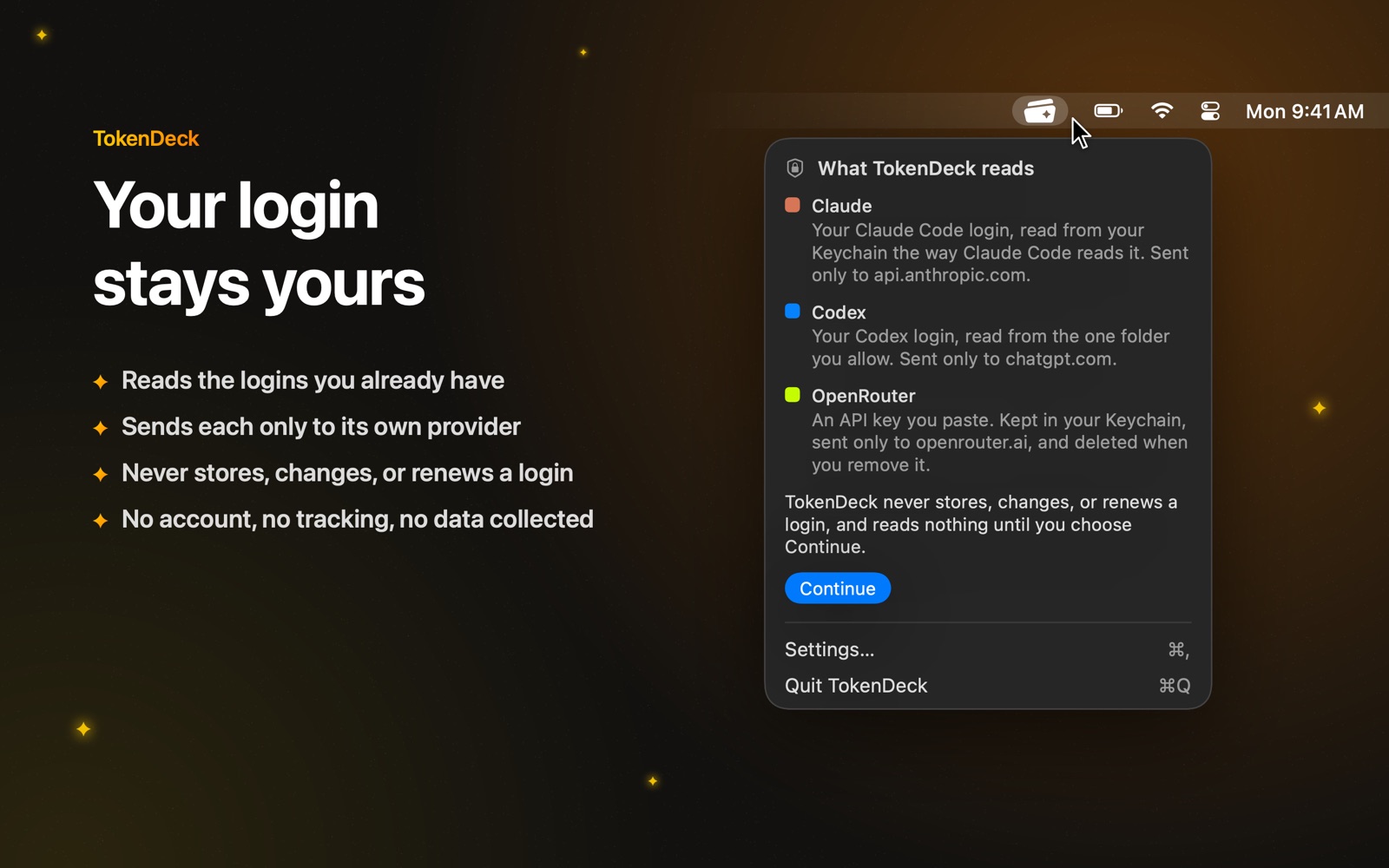
Your login stays yours
Before anything is read, TokenDeck shows what it reads and where it goes. Each login is sent only to its own provider: api.anthropic.com, chatgpt.com, or openrouter.ai. TokenDeck never stores, changes, or renews a login, has no account of its own, and collects no data. Read the privacy policy.